What Virtual Try-On Actually Costs a Small Jewelry Store
When someone asks “what does virtual try-on cost?”, answering with the monthly fee is misleading. For a small jewelry store the real cost is the time to prepare images.
From running try-on across several hundred SKUs in our own store (Adelina Style), here’s the breakdown — money and time, separately.
Money: the monthly fee
DokimiAI’s plans are split by feature, not by product count or try-on sessions. Both are unlimited on every plan.
| Free | Pro | Business | |
|---|---|---|---|
| Products & sessions | Unlimited | Unlimited | Unlimited |
| Earring try-on, social sharing | ✓ | ✓ | ✓ |
| Hats, background swap | — | ✓ | ✓ |
| Avatar try-on | — | — | ✓ |
| “Powered by DokimiAI” line | Shown | Hidden | Hidden |
| Monthly | $0 | $85 | $198 |
(Annual: Pro $816, Business $1,900. Japanese-market pricing: ¥12,800 / ¥29,800.)
So earring try-on across your entire catalog costs $0. Paid plans add hats, backgrounds, avatars, and remove the Powered-by line. Whether try-on affects your sales is something you can verify entirely on Free.
We priced it this way because, as a store ourselves, we didn’t want a contract that gets more expensive the more try-on gets used.
Time: transparent PNGs
This is the real cost.
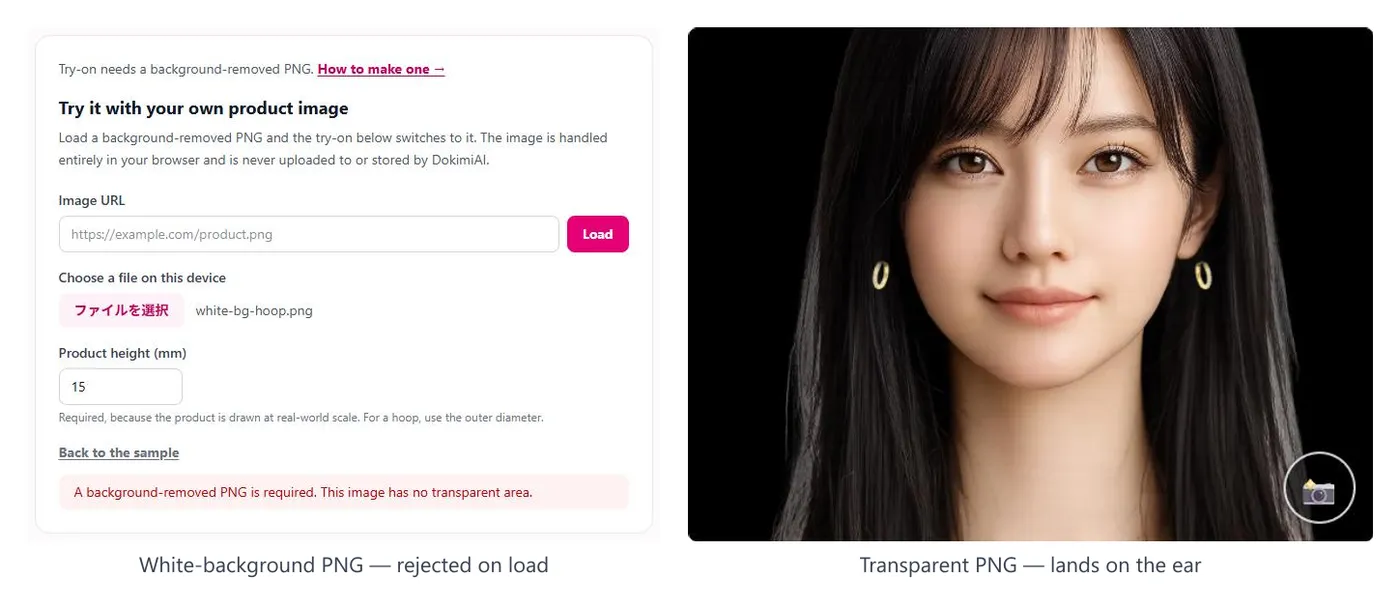
Try-on needs one background-transparent PNG per product (per color, if there are color variants), and you make them. Our own numbers:
- Well-shot products: automatic background removal works; about 5 minutes per product including checking
- Reflective metal, thin chains: automatic removal fails; manual cutout or reshoot, 15–30 minutes per product
- Some you give up on: mirror-polished pieces that won’t cut cleanly get excluded from try-on
For 100 products that’s roughly 10–20 hours. But you don’t have to do them all at once. Start with your 10 best sellers, watch the response, then expand.
Getting the shooting conditions right up front cuts the downstream work dramatically. For anything you shoot from now on, follow the conditions in the PNG guide. Our conclusion: reshooting is usually faster than salvaging existing product photos.
Time: real-world size
One height value in mm per product. If your product specs already list dimensions, it’s a copy-paste — a minute per product. Hoops need a small calculation (inner diameter + wire × 2), and size variants need a value per size.
Skip this and everything renders at a default size, which defeats the purpose. It’s fast, so do it.
Time: installation
Shopify: place the App Block in the theme editor. WooCommerce: install the plugin. Anything else: paste the snippet. With images ready, the first product is live in about 15 minutes.
Installation only becomes real work if your theme has been fully rebuilt with a page builder.
The hidden cost: the first product
The most overlooked cost is the time spent on product one going wrong. Too much image margin and it renders small; a color-name typo and nothing shows; a forgotten size value and it’s enormous. Every one of these is a textbook mistake covered in these articles — and everyone hits at least one the first time.
So before you produce images in bulk, get one product onto an ear. It’s free and takes under an hour. Then make the rest of the images, now that you know the shooting conditions and how sizing works.
When to pay
In our view, either of these means it’s time to consider a paid plan:
- You want the “Powered by DokimiAI” line gone so try-on reads as your own brand experience
- You want hats, backgrounds, avatars, or other non-earring try-on
Conversely: whether earring try-on helps your sales is something you can judge on Free. If it isn’t helping, paying won’t change that.
Summary
| Cost | What | Rough figure |
|---|---|---|
| Monthly | Earring try-on only | $0 |
| Transparent PNGs | Per product, per color | 5–30 min each |
| Size registration | Per product | 1 min each |
| Installation | Once | 15 min |
| First product | Trial and error | 1 hour |
Time, not money. Most of the time is images. Images are decided at the photo shoot. That’s the real cost of virtual try-on.
What each plan includes and which platforms are supported are on the DokimiAI home page.